Byte Mage
Flashcard Frenzy

Flashcard Frenzy is an application designed to exercise and teach arithmetic skills by using multiple choice and repetition in a game-like environment where accurate answers combined with timed answers present continued challenges.
Each flashcard includes four multiple choice answer buttons for visual learning, setting it apart from typical flashcards. The missing answer on a typical flashcard can cause frustration when developing arithmetic skills. Flashcard Frenzy presents the correct answer on one of four buttons. The other three buttons display a close guess. The buttons are created by a mathematical algorithm designed to present a challenge for the user.
Addition, subtraction, multiplication and division flashcards are all available. Negative and positive integers on the flashcards are also available.
The user can mix cards with negative and positive integers inside one game. For example, one game can teach multiplication of negative numbers. Another game can teach division of negative numbers. And another game can teach a mix such as division of negative and division of positive integers.
The user can also mix cards with multiple operations inside one game. For example, one game can teach multiplication and addition together while also mixing negative and positive integers. Another game can teach subtraction and division together maybe with only positive integers.
Any flashcard game has the possibility to teach any combination of operations or signs.
The user can test their skill on their most challenging integers, signs and operations to enhance their arithmetic skills.
Setup
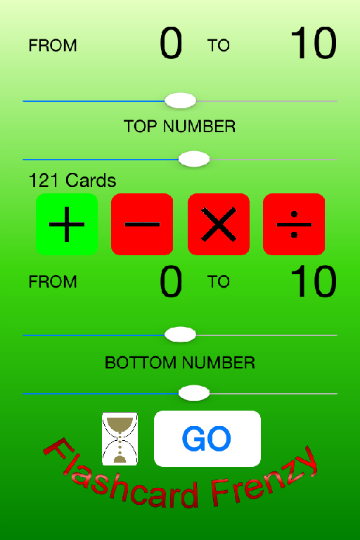
Drag or move the slider controls to change the bounds of the flashcard top and bottom numbers.
Touch the FROM or TO numbers on the Setup screen to display the Input screen.
Input

Setup
Touch the plus, minus, multiplication or divide operator images.- Green means you are adding that operation to your game.
- Red means you are excluding that operation from your game.
Flashcard
Push one of the answer buttons. A correct answer turns green. After the card delay, the game moves you to the next flashcard.
Before a card is played, the answers are all black.
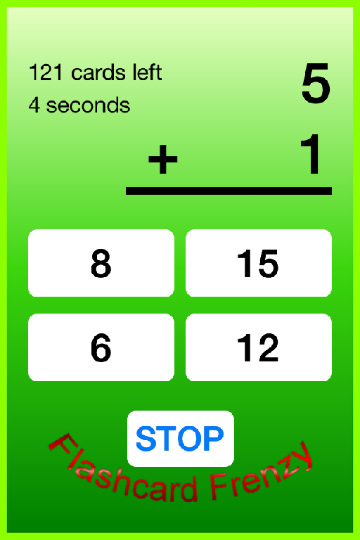
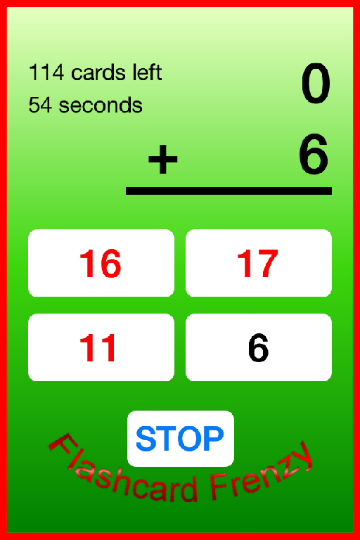
If an incorrect answer is pushed, the button displays as red. As time passes, each flashcard border slowly changes to from green to red. When each flashcard reaches a red border, 20 seconds has passed for that flashcard; however, the time you have to answer each flashcard is unlimited.
Answering all of the flashcards automatically ends your flashcard game and displays your results. Your fastest flashcard answer is revealed along with your slowest.
Pressing the STOP button pauses your flashcard game and displays your intermediate results. Pressing the back button on the Results screen allows you to resume the current flashcard game.
Results
The results screen displays all information about your flashcard game. Press the GO button to start another flashcard session.

Loading...
Content copyright . www.bytemage.com. All rights reserved.